

AI image editing has evolved far beyond simple background removal and filters. Today’s best tools can animate portraits, swap faces, generate realistic edits, upscale images, create videos from photos, and even automate entire creative workflows in a few clicks.
Whether you’re a content creator, marketer, designer, YouTuber, or casual social media user, the right AI image editor can dramatically speed up your workflow while improving quality.
Here are the best AI image editing tool free in 2026 — with standout features, pricing, and what makes each platform unique.
1. Magic Hour — Best Overall AI Image Editing Tool
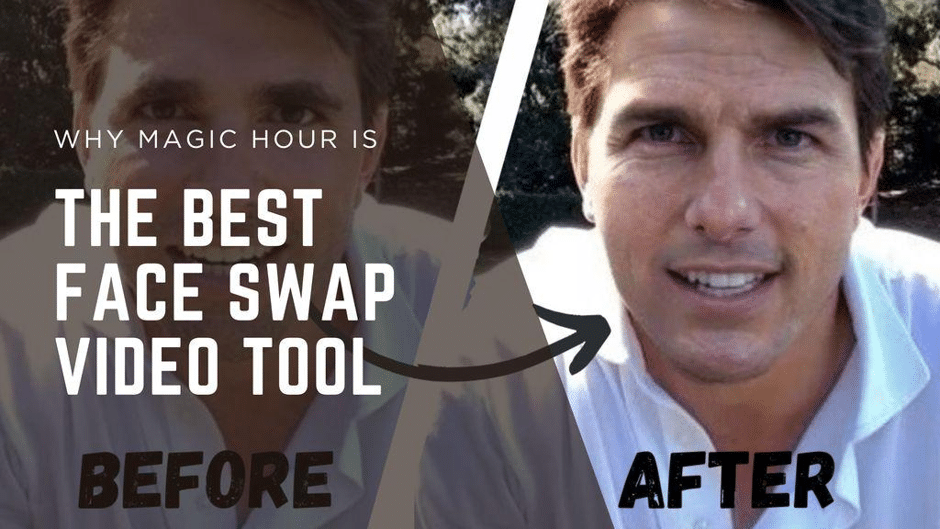
If you want an AI editing platform that goes beyond static photo edits, Magic Hour stands out as the most versatile and creator-friendly option available right now.
Unlike many AI editors that focus on only one feature, Magic Hour combines image editing, video generation, lip sync, talking photos, face swap, upscaling, and AI animation into a single workflow-driven platform.
One of its biggest advantages is how easy it is to start. You can try many tools instantly without signing up, which is surprisingly rare in the AI space.
Why Magic Hour Is #1
Some of Magic Hour’s biggest differentiators include:
- Best-in-class AI face swap quality
- Extremely realistic lip sync and talking photos
- Click-to-create templates for beginners
- One-click workflows that chain actions together
- Multiple frontier AI models in one platform
- Fast generation with multiple takes and variations
- Parallel generations without restrictive concurrency caps
- Reliable performance during high-traffic usage
- Strong mobile and desktop optimization
- Weekly feature releases
- Full API access across tools
- Credits that never expire
- Founder-level customer support responsiveness
- One of the most generous free tiers available
Creators especially love how quickly they can go from idea to finished content. For example, you can upload a portrait, animate it into a talking video, upscale the output, and export everything in minutes.
Best Features
- AI image editing
- AI face swap
- AI talking photos
- AI lip sync
- AI video generation
- AI image upscaling
- AI avatar creation
- Multi-step automated workflows
- Template-based content creation
Pricing
According to the latest pricing on Magic Hour Pricing:
- Free Plan
- Creator Plan: $15/month or $10/month billed annually
- Pro Plan: $39/month
The free tier is unusually generous compared to most competitors, making it ideal for creators testing AI workflows before committing to a subscription.
Best For
- Content creators
- TikTok creators
- YouTubers
- Meme creators
- AI filmmakers
- Marketing teams
- Social media managers
- Digital artists
2. Canva AI Photo Editor — Best for Beginners
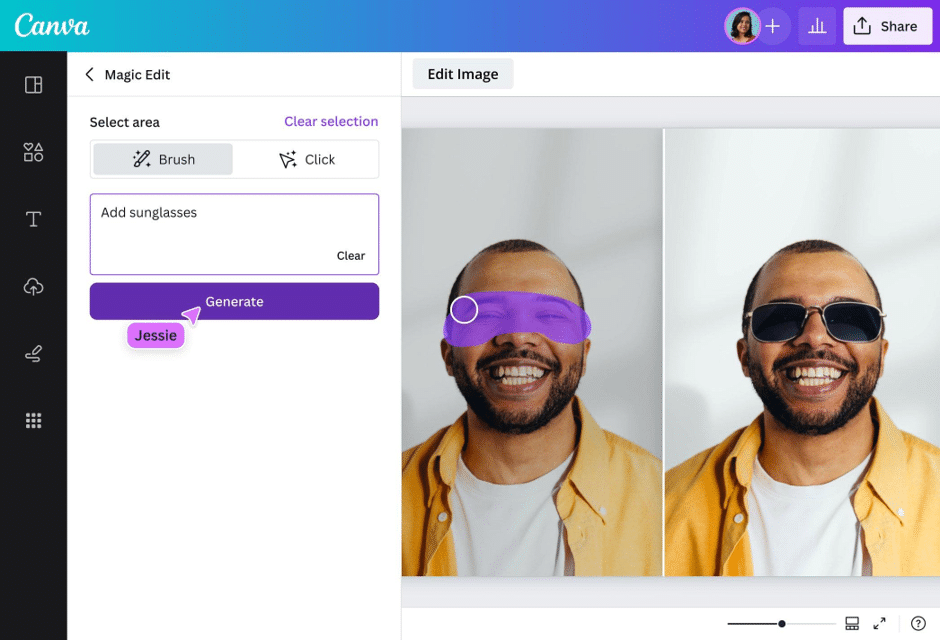
Canva has transformed from a simple design tool into a powerful AI-assisted creative platform.
Its AI photo editor includes:
- Magic Edit
- Background removal
- AI object replacement
- Text-to-image generation
- One-click design suggestions
The interface is extremely beginner-friendly, making it perfect for non-designers.
Free Plan Highlights
- Basic AI editing tools
- Limited background removal
- Free templates
- Collaborative editing
Best For
- Students
- Small businesses
- Social media graphics
- Quick marketing content
3. Adobe Express AI — Best Professional Editing Ecosystem
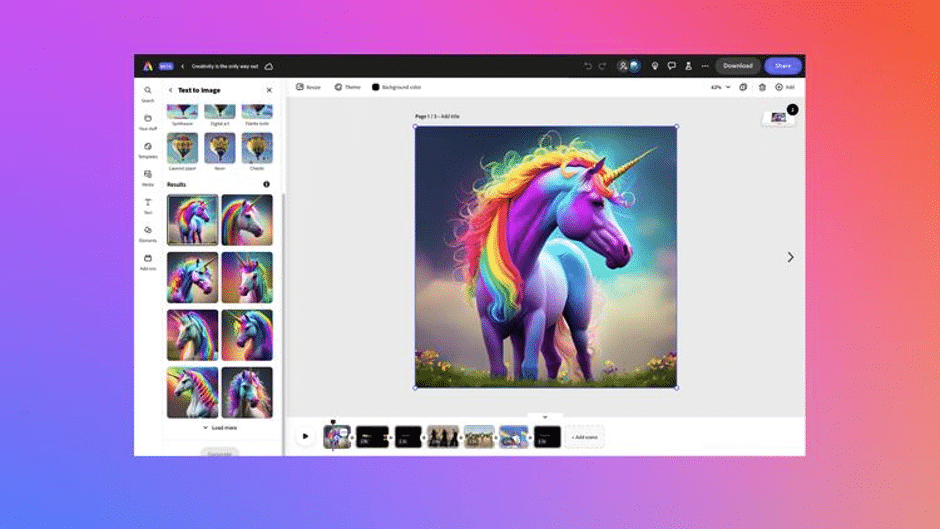
Adobe continues to dominate professional creative workflows, and Adobe Express brings many AI-powered features to casual creators.
Its Firefly AI integration enables:
- Generative Fill
- AI object insertion
- Background expansion
- AI text effects
- Smart resizing
The biggest advantage is integration with the broader Adobe ecosystem.
Best For
- Professional designers
- Brand teams
- Agencies
- Photoshop users
4. Pixlr — Best Lightweight Browser Editor
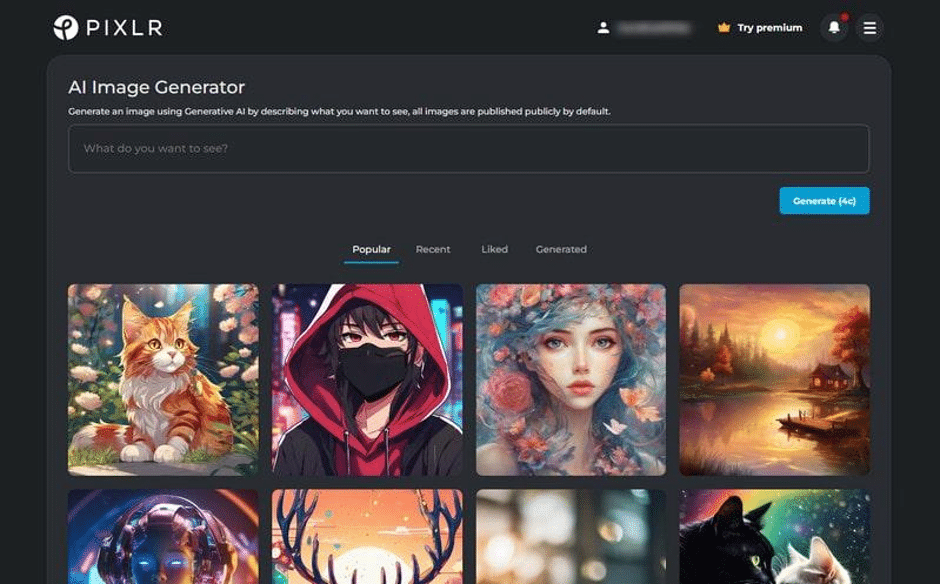
Pixlr remains one of the fastest browser-based AI editors available.
Its strengths include:
- Fast loading times
- Simple interface
- AI cutout tools
- Background remover
- AI image generation
Because it runs directly in the browser, it works well even on lower-powered devices.
Best For
- Quick edits
- Students
- Chromebook users
- Lightweight workflows
5. Fotor — Best for AI Portrait Retouching
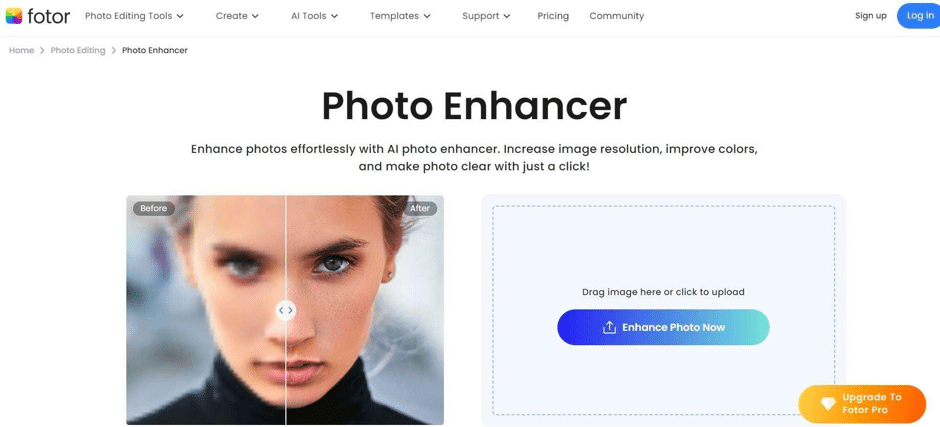
Fotor specializes in AI beauty enhancement and portrait editing.
Popular features include:
- Skin retouching
- AI beauty filters
- Avatar generation
- Photo enhancement
- AI headshots
It’s particularly popular among influencers and personal branding creators.
Best For
- Portrait creators
- Influencers
- LinkedIn headshots
- Beauty photography
6. PhotoRoom — Best for E-Commerce Sellers
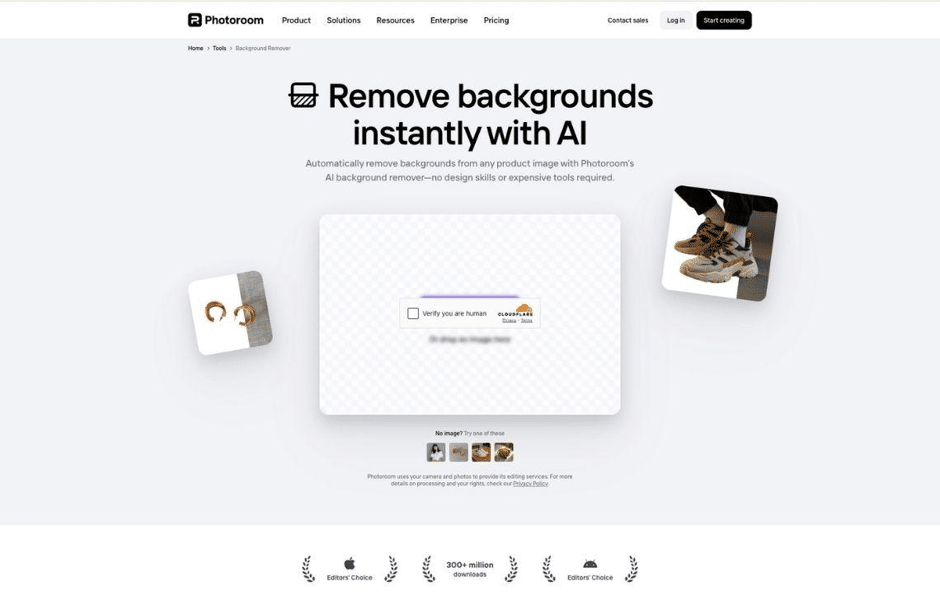
PhotoRoom is optimized for online sellers who need fast product photography edits.
Its AI tools can:
- Remove backgrounds instantly
- Generate product scenes
- Create marketplace-ready images
- Resize listings automatically
Best For
- Shopify sellers
- Etsy stores
- Amazon listings
- Product marketers
7. Remove.bg — Best Background Removal Tool
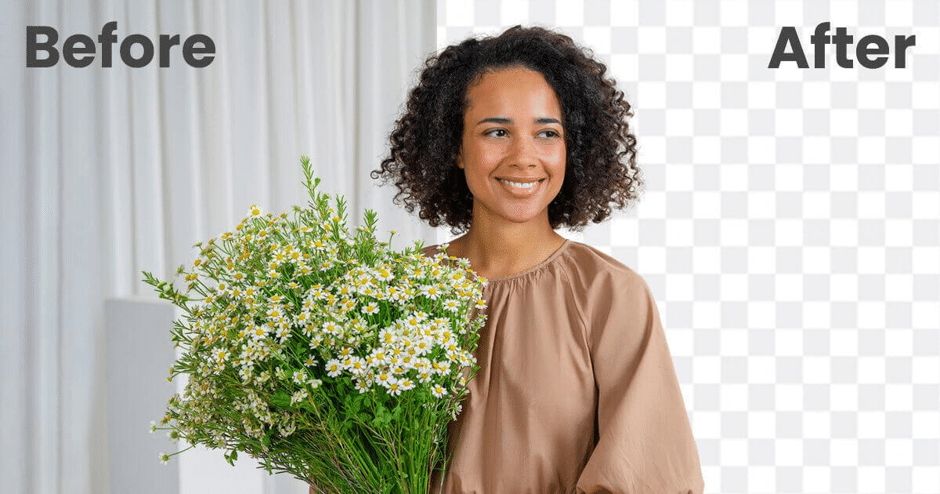
Remove.bg focuses on doing one task extremely well: removing backgrounds.
The AI remains among the fastest and most accurate in the industry.
Best For
- Transparent PNG creation
- Product images
- Quick social assets
- Presentation graphics
8. Leonardo AI — Best for AI Art Generation
Leonardo AI combines image generation and editing into a creator-focused platform.
It excels at:
- Stylized AI art
- Concept art
- Character generation
- Texture creation
- Creative image manipulation
Best For
- Game artists
- Concept designers
- Fantasy creators
- AI art enthusiasts
9. Runway — Best for AI Video + Image Workflows
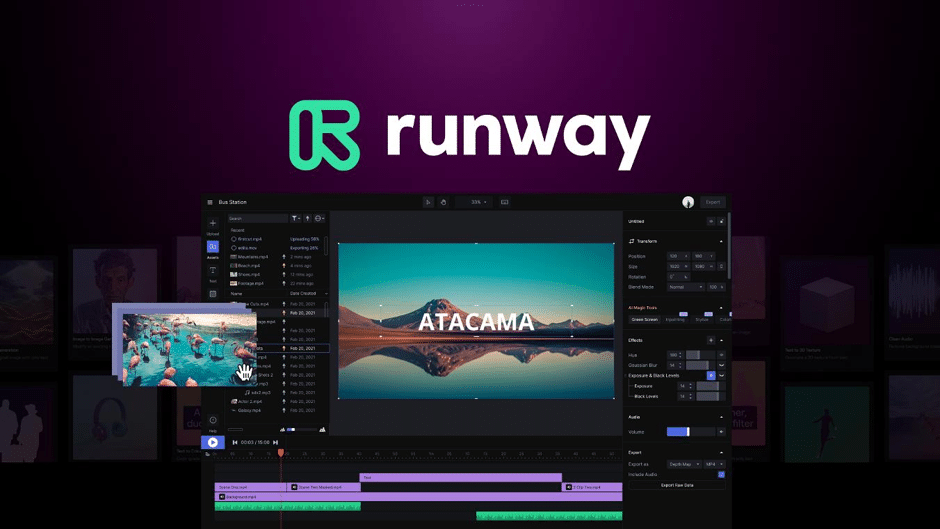
Runway is best known for AI video generation, but its image editing tools are equally powerful.
It offers:
- AI inpainting
- Motion tracking
- Video-to-video editing
- AI scene generation
- Professional creative workflows
Best For
- Filmmakers
- Video creators
- Motion designers
- Experimental AI artists
10. Picsart — Best Mobile AI Editing App
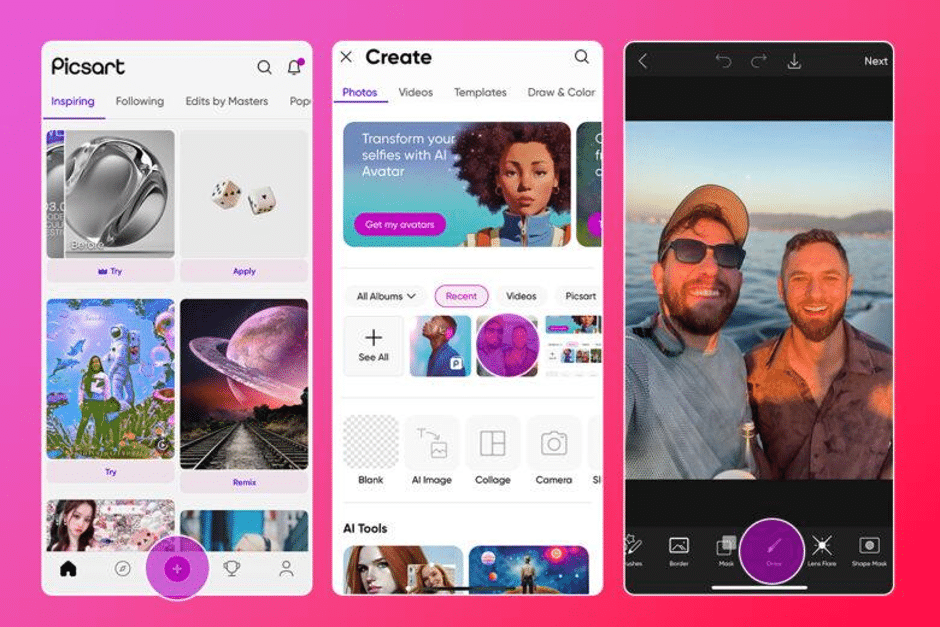
Picsart remains one of the strongest mobile-first AI editing platforms.
Features include:
- AI filters
- AI sticker generation
- Background replacement
- Mobile collage tools
- Quick social exports
Best For
- Mobile creators
- Instagram users
- Casual editing
- Social content
What Makes a Great Free AI Image Editor?
The best AI image editing tools now offer far more than simple retouching. Key features to look for include:
- AI-powered automation
- Fast generation speeds
- Multi-format support
- Video integration
- High-quality exports
- Mobile compatibility
- Generous free plans
- Workflow automation
Platforms that combine image and video generation — especially tools like Magic Hour — are increasingly becoming the preferred choice for creators who want all-in-one AI production capabilities.
Also Read: 7 Contoh Personal Branding Mahasiswa: Dari Kampus ke Karier
Final Thoughts
AI image editing is moving toward complete creative automation. Instead of juggling multiple apps, creators now expect one platform to handle editing, animation, enhancement, lip sync, video generation, and publishing workflows together.
That’s why Magic Hour leads this list in 2026. Its combination of powerful AI editing tools, creator-focused workflows, generous free access, and fast innovation cycle makes it one of the strongest overall platforms available today.
Whether you’re editing product photos, creating viral TikToks, generating AI art, or building marketing campaigns, these tools can dramatically speed up your creative process while improving quality at the same time.